If you are reading this page then you have already installed the PBMobile.apk on your Android device.
On you android device find the PlaneBase Mobile icon in you apps draw and run it.
Depending on your Android device OS version you will be asked to allow some permissions.
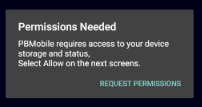
Permissions required are:
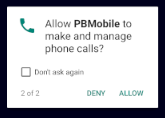
1.Phone status.
Note: this may show as Make and Manage phone calls, PBMobile does not and will not access your details, contacts or any personal information.
the below permission is required to get the Android OS version and to allow licence validation only.
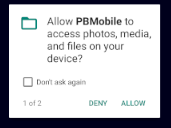
2.Storage
On first run you will be asked to enter your PlaneBase Mobile details.
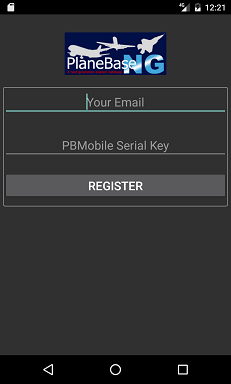
Enter your PBMobile details that are in the email received when you requested PBMobile access.
Press Register.
If you see the below error then you have not copied the PBData.sqb to the 'PlaneBase Mobile Folder'
on your device.
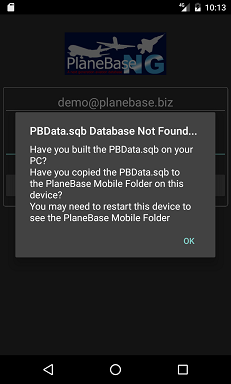
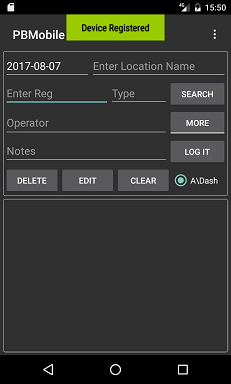
If you have copied the PBData.sqb database over to your device and if your details are correct you should see the below
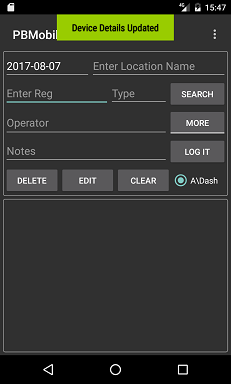
(left image) message pop up showing 'Device Registered', if you are reinstalling on the same device you will see the image
on the right showing Device Details Updated
 _
_
NOTE: DO Not try and use the same details on more than one android device this could invalidate any
other device installation and may result in your access to PBMobile removed.
You device is now registered and you can set up your options.