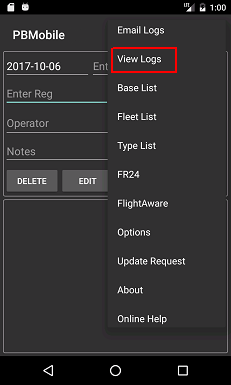
View Logs
View Logs will allow you to view\delete any logs currently held on your device.
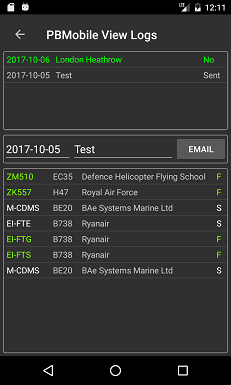
The top panel will show logs found by Date and Location.
Select a log from the top panel and the lower panel will populate with logs from that date and location.
You can email the logs from this screen by pressing the Email button.
Any logs that have NOT been emailed will show as Green and 'No' can be seen to the right in the top panel.
Logs that have been emailed will show as light Grey and 'Sent' can be seen to the right in the top panel.
Note: PlaneBase Mobile has no way of knowing if the email client on your device has sent the email,
please check your emails to confirm email was sent\delivered.
 _
_
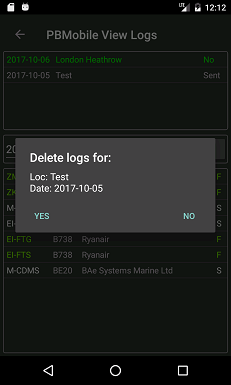
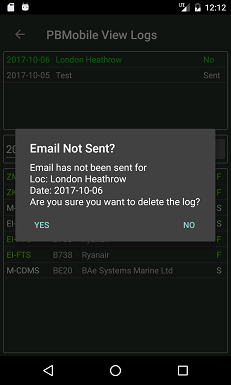
To delete logs you need to long press the log to be deleted in the top panel.
If you have not sent an email you will see the first image below otherwise you will see the second image.
 _
_